

Services
Online booking, scheduling and records — for patients, doctors and clinics
Patients
Everything about your health — in one place
Log in or sign upFrom finding a doctor to your whole family’s health record.
Search & booking
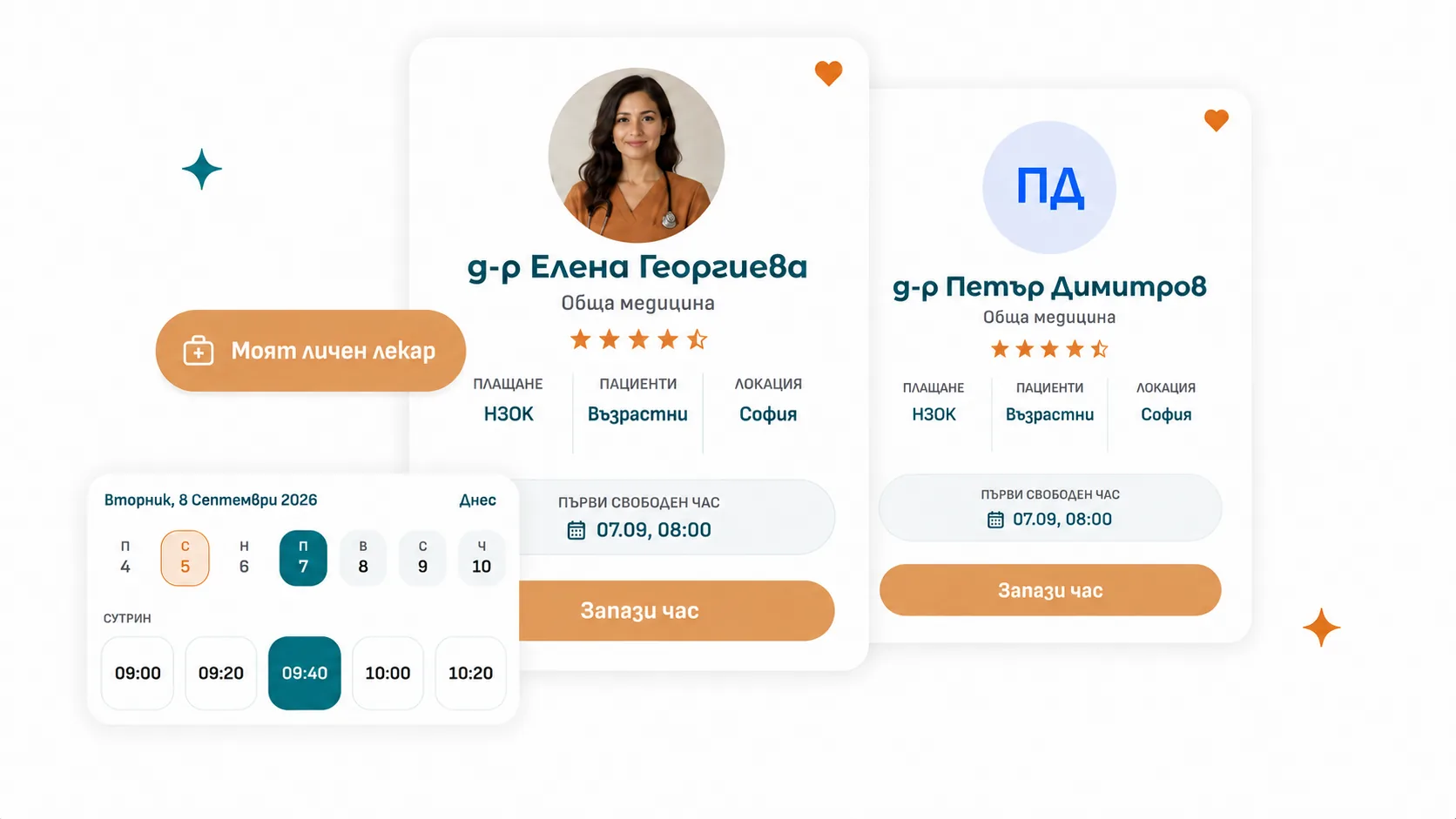
Find the right doctor and book in seconds
Free text by name and specialty, a city from the real list of Bulgarian settlements, a minimum rating, public or private funding, acute or preventive visits. On the doctor’s profile you’ll find their bio, locations, languages, and other patients’ reviews.
“My personal doctor” takes you straight to booking. If your family has different GPs, it first asks who the visit is for.
Pick a patient (yourself or a family member), the visit type and how it’s funded, a location, a day and a time. Open slots are grouped into morning, afternoon and evening, and the calendar shows which days actually have room.
Move your visit to another open slot with the same doctor, or cancel it yourself before the practice’s cutoff. See the full history of the visit — who changed what, and when. After a completed visit, leave a 1–5 star rating and an editable comment.
Family & health records
Your whole family and every document, in one place
Create a passwordless managed profile for your child and book on their behalf. When they turn 18, send them an invite to activate their own login.
By email — you both see the family, book visits, and manage everyone’s records.
Upload outpatient sheets, sick-leave certificates, lab results and imaging — JPEG, PNG, WebP or PDF up to 15 MB, with a label, document type and date. Files are never public: they’re only reachable through your own profile, and every view is logged.
Send a question with a subject and a photo to your GP’s practice. The first available team member answers, and you’re notified. Practices that turn it on also support a real back-and-forth conversation.
Account, notifications & security
Your profile, entirely under your control
One click through your Google account — no new password, no registration form. With email: a password strength check, address verification, and password changes that log out every other device.
Turn the email version of any notification type on or off individually, and every email carries an unsubscribe link. You can also open the exact email we sent you.
Confirm your visit straight from the reminder email, no login needed — and add it to Google Calendar from the same message.
See which version of each document you accepted and when, withdraw consent, and download your own consent record as a CSV.
Doctors
Your practice, from schedule to patient record
Request accessEverything a solo doctor uses every day.
Schedule & calendar
Your schedule and your day, fully under control
Weekly recurring hours, or month-by-month exact dates. Drag, move and resize blocks; each one carries a location and an appointment type. Copy a whole day to another, set breaks within a day, and mark days off.
The system refuses to remove coverage under an already-booked visit, and warns you when a change would move booked visits to a different appointment type. Changes only go live for patients after you explicitly confirm.
Day or week, vertical or horizontal timeline, night hours, only scheduled hours, and open slots shown at their real duration. Your settings are remembered.
Find the patient by name or national ID, pick a visit type, and click the slot. Filters for age, funding, and acute vs. preventive follow the visit you’re booking.
Patients & clinical work
Patients and their care, organized
By name, national ID or phone, with filters for relation (panel, clinic, external, mine), age group and gender.
Demographics, identity with national-ID checksum validation, address by region code, lifestyle, visits, inquiries, files, notes, notifications — and their family in a side panel.
Per patient and per family, visible only within your practice, stamped with the author and their role at the time.
Symptoms, current treatment, a note and any documents requested by the patient, height, weight, smoking and alcohol — plus a timeline of who changed the status and when, including reschedules.
Practice setup & daily life
A practice configured your way
Name, color, duration, which ages and what kind (public/private funding, acute/preventive). Open slots are generated from these automatically, so durations always match.
Answer a few questions about your practice and get sensible appointment types out of the box — 15 minutes for acute, 30 for preventive — which you can then adjust freely.
Practice addresses are entered once and attached to every schedule block and every booked visit, so the patient always knows where to go.
Today’s visits, who’s next, load by day for the week, new patients, this week’s no-show rate, and open inquiries.
Other services
Beyond the platform — the rest of what we do
A modern website that represents the practice well, plus local SEO and social media — so patients find and choose you online.
Clear data on bookings, revenue and practice load — instead of scattered spreadsheets and guesswork.
From integrations and automated reminders to technical support on site and remote — we keep your systems running smoothly.
Clinics
Team, rules and rollout — under your control
Request a free demoRoles, opt-in features and support for practices with more than one doctor.
Roles & team
Everyone on the team, with a clear role
Owner, admin, front-desk and doctor. Each role opens exactly what it needs: organization settings, team, locations, appointment types, visits, inquiries, patients.
For each team member, decide whether they manage their own schedule, whether they can book visits, whether they accept online bookings, and what reminders their patients get.
The whole practice works from one catalog. Deletion is blocked while a type is still used on a schedule or attached to a booked visit.
At a GP practice, patients join the panel with an assigned personal doctor; at a specialty practice, they’re linked automatically after their first completed visit.
Choose exactly what’s on
Your practice’s features, your choice
Booking, Patients, Notifications. Every feature is switched on and configured separately for your organization — and enforced by the server, not just hidden from the screen.
How far ahead a visit can be booked, how many days out, how late a patient can cancel it themselves, and whether pre-visit intake is required.
Choose a mode: a plain reminder, or a reminder that asks for confirmation with automatic cancellation of unconfirmed visits — with timing you set yourself. Can also differ per doctor.
Turn a given notification type off by email or in-app for every patient at once, and set hours during which no messages go out.
Rollout, invitations & support
From zero to a working practice
Profile, national provider ID, specialties, languages, photo and bio, locations, preferences and appointment types — step by step, with a review at the end. The practice only becomes visible to patients after approval.
By email, to a new or existing patient — at a GP practice, the invite can set the personal doctor right away. An existing managed record can also be invited to activate its own login.
A step-by-step guide tailored to each role, a feedback form with a screenshot from any page, and a changelog with every new release.
An access log for health-record files, an append-only consent registry with export, and audited impersonation logins when support steps in to help.
Other services
Beyond the platform — the rest of what we do
A modern website that represents the practice well, plus local SEO and social media — so patients find and choose you online.
Clear data on bookings, revenue and practice load — instead of scattered spreadsheets and guesswork.
From integrations and automated reminders to technical support on site and remote — we keep your systems running smoothly.